Mossy Hollow
A top-down adventure where a little green dinosaur rescues the baby dinos, then follows a sneaky magpie through a marsh, dark woods, snowy peaks and lava caves.
▶ Play Mossy Hollow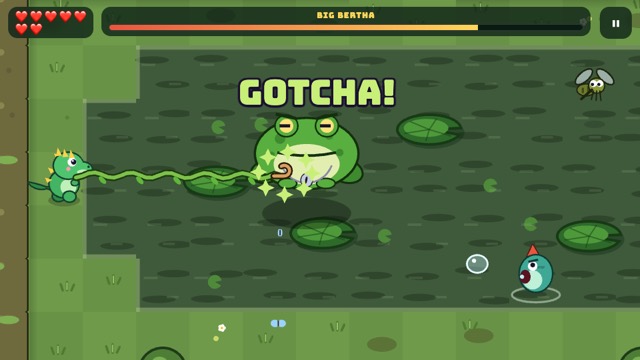
- No adverts
- No chat
- No email needed to play
- Free to play
- AGES
- 5 to 10
- PLAYERS
- 1 player
- CONTROLS
- Touch: slide a thumb on the left to walk, tap the right side or the big button to swing the tail, plus rock, bomb and vine-hook buttons once found. Keyboard: arrows or WASD to walk, Space to swing, K to throw a rock, B to drop a bomb, E for the vine hook, P to pause. A mouse click also swings.
- BEST ON
- A tablet or a computer shows the whole room at once. On a phone held upright the view slides across each room so everything stays big.
- HOW LONG
- Play a few rooms at a time. The quest saves every time your child walks into a new room.
What is it?
Mossy Hollow is a top-down adventure. Grumbletooth the T. rex has taken the baby dinos, and your child's little green dinosaur sets off to bring them home, one room at a time.
There are six quests across 60 rooms: the sunny valley, the Mossy Temple and Grumbletooth's cave, then a misty marsh, a dark wood, snowy peaks, lava caves and a nest in the sky. Your child swings a tail at bushes and baddies, pushes blocks onto switches, throws rocks at crystals, drops bombs to open cracked walls and, later, zips over water on a vine hook.
Yellow arrows point to the next step, and the goal is read aloud. Running out of hearts is just a nap: the dinosaur wakes at the doorway with full hearts and nothing lost.
What’s in it
- Six quests across 60 rooms, with new tools along the way: a vine hook, a firefly lantern, mighty mitts and a leaf glider
- Seven boss fights, from King Blob to Baron Pinchfeather, each with its own trick to work out
- Lots of kinds of baddie, from slimes and bats to snowmoles, bouncing fireballs and gem-pinching magpies
- Find a rock pouch and a bomb bag, and trade 10 gems found in the game for a froggy float to swim
- Secret walls, hidden heart pieces and gem chests, with more to explore after the ending
How to play
- Tap the dice to pick a name for your dinosaur and press Start the quest.
- Walk with the thumb-stick or the arrow keys and follow the yellow arrows.
- Swing your tail to cut bushes and bonk baddies. Walk into chests to open them.
- Use rocks, bombs and the other tools once you find them. Tap the goal at the top to hear it again.
- Bring the five babies home, then follow the sneaky magpie to win back the Glow Stones.
What children practise
- Planning a few steps ahead, such as finding a key before a locked door
- Working out small puzzles, like sliding a stone block onto a switch
- Watching for a warning sign and timing a move to get out of the way
For grown-ups
- Cartoon tail-bonks: baddies vanish in a puff, and each grumpy guardian becomes a friend again.
- Losing all hearts is a nap, not a game over, and a nap costs nothing.
- Tips and the current goal are read aloud; a Voice switch turns speech off.
- Big kid mode makes it tougher; without it, baddies get a little slower after each nap.
Across Kid Cartridge: no adverts, no chat, no email needed to play, free to play. Guests play without signing up. About Kid Cartridge. Privacy.
Questions grown-ups ask
Is it too hard for a five-year-old?
It is built to be kind. The first rooms are quiet, baddies doze until you come close, yellow arrows show the way and running out of hearts only means a nap. If a block puzzle goes wrong, leaving the room resets it.
How violent is it?
Mildly, in a cartoon way. The dinosaur swings its tail, and bombs open cracked walls. Slimes, bats and crabs vanish in a puff when bonked, and bombs never hurt the player. Grumbletooth and the other guardians become friends again, and the last boss, Baron Pinchfeather, says sorry.
Does it save?
Yes. The quest saves itself as your child plays, including keys, gems, hearts and the room they were in. Press Keep going on the title screen to carry on.
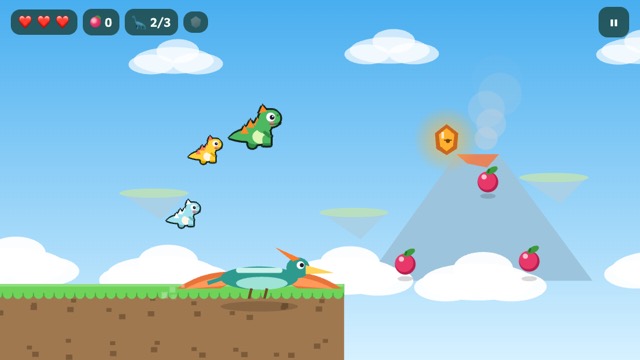
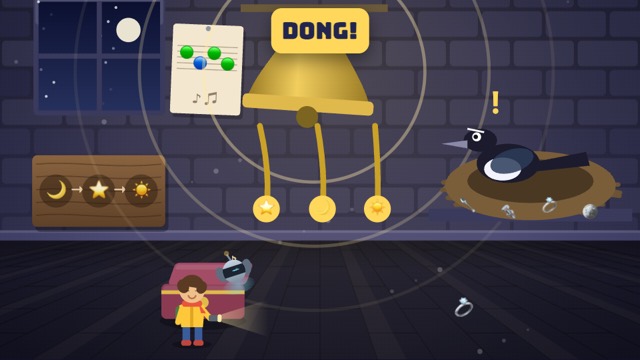
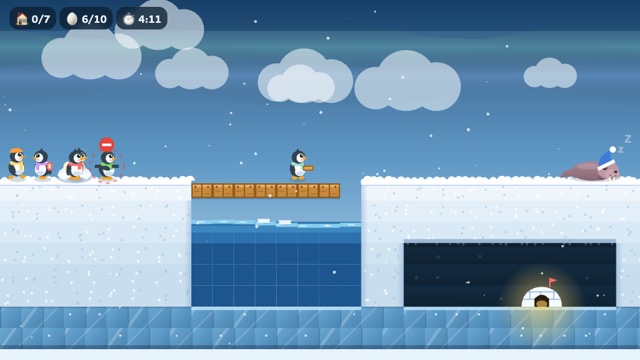
If they like Mossy Hollow
Grown-ups: get it on the tablet
Send Mossy Hollow to your child’s tablet
On the tablet, open kidcartridge.com/dino-quest/.
Put it on the Home Screen
It then opens full screen, like an app. On iPhone and iPad, Safari can clear a guest’s saves if they go unplayed for a while, and a Home Screen icon is kept apart from that. The icon starts with its own saves, so add it before the first game if you can.
iPad and iPhone (Safari)
- Open kidcartridge.com in Safari.
- Tap Share . On iPad it’s at the top. On iPhone it’s at the bottom; on newer iPhones, tap ••• first.
- Scroll down and tap Add to Home Screen. On newer iPads and iPhones you may need to tap View More first.
- If you see Open as Web App, leave it on. Tap Add.
- Open the games from the new icon from now on.
Android (Chrome)
- Open kidcartridge.com in Chrome.
- Tap the menu at the top right.
- Tap Add to Home screen. It may say Install app.
- Tap Add or Install.
Chromebook or laptop
- Open kidcartridge.com in Chrome or Edge.
- Look for an install icon at the right-hand end of the address bar, and click it.
- No icon? Bookmark the page instead.
Share this page with another parent
kidcartridge.com/games/mossy-hollow/
Free printables, and news
All the games · Games guide · About · For grown-ups · Privacy · Terms